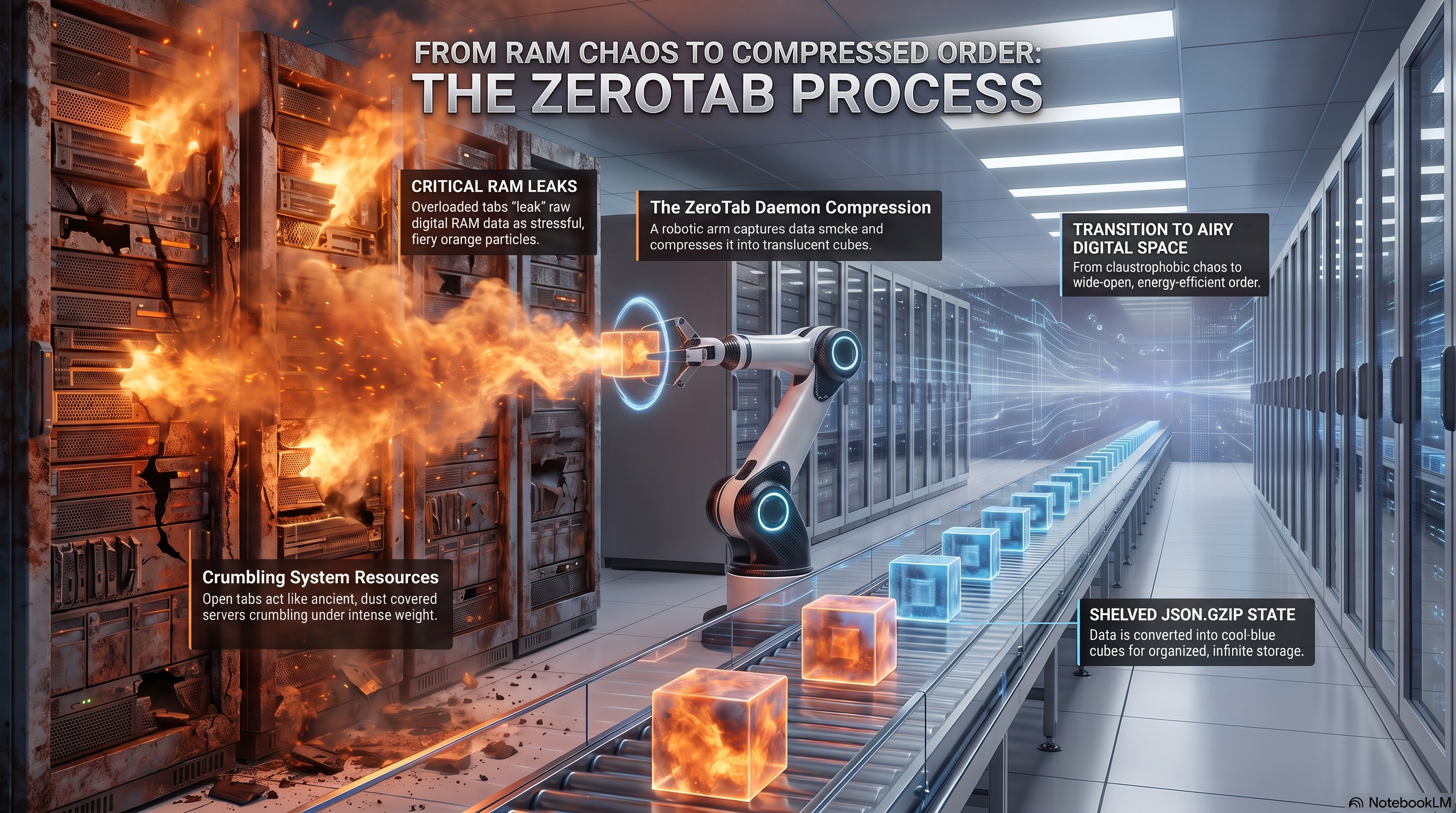



Zero-dependency LRU tab eviction daemon built with Python asyncio to profile browser activity and compress idle tabs.
✨ Features
- Zero-Dependency: Runs entirely on standard Python libraries. No external packages required.
- O(1) Tab Eviction: Instantly identifies and compresses idle tabs using an efficient LRU (Least Recently Used) tracking mechanism.
- Low Footprint: Operates on
<12MBRAM without competing with your main system workloads. - Non-Blocking Concurrency: Built with
asyncioto prevent performance lag, even during heavy browser interactions.
Architecture Overview
ZeroTab: Streamlining Browser Memory Management
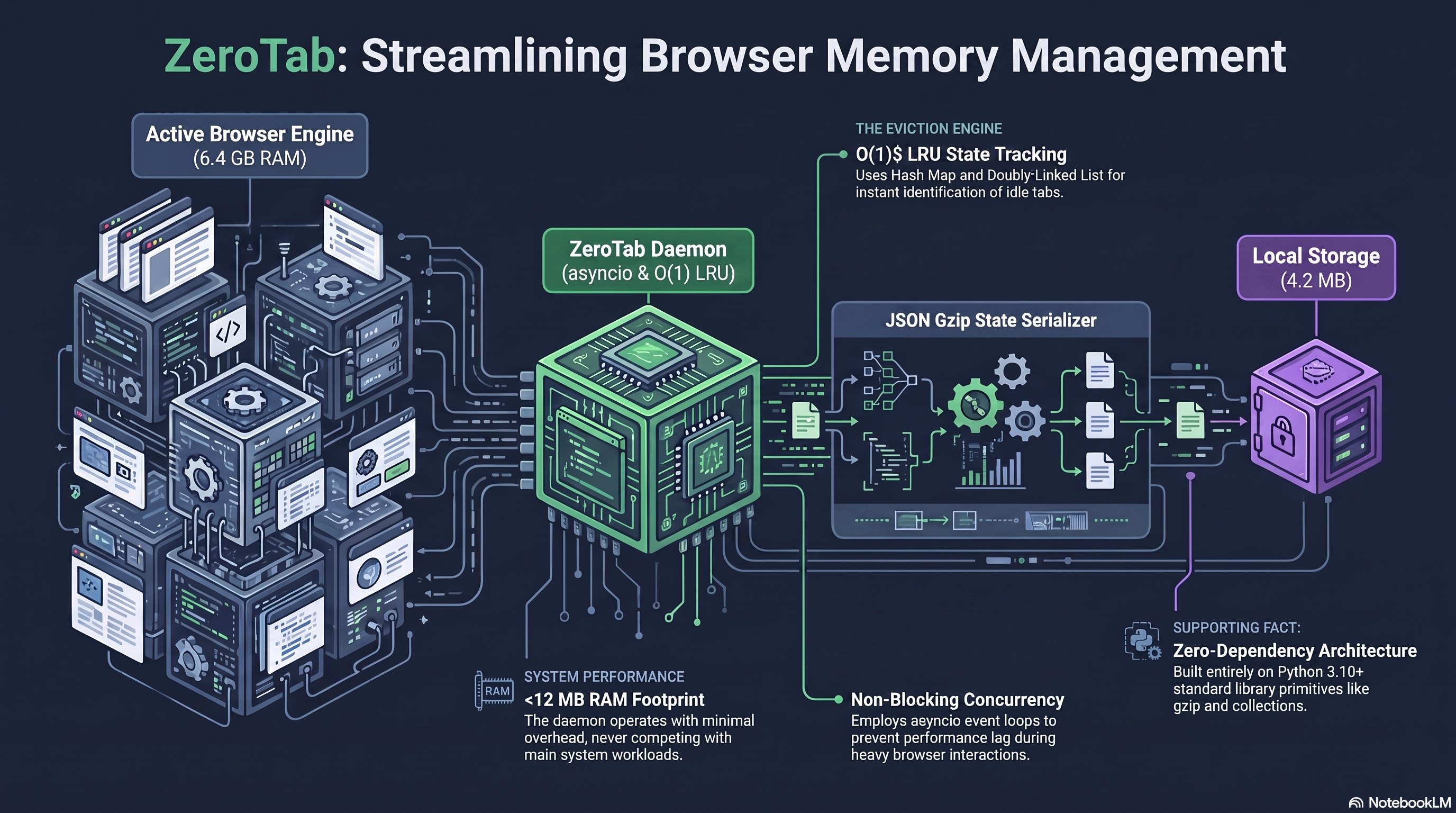
The architecture involves a flow from the Active Browser Engine (which might consume large amounts of RAM, e.g., 6.4 GB) through the ZeroTab Daemon (utilizing asyncio & O(1) LRU), which passes data to the JSON Gzip State Serializer, and finally into Local Storage (significantly reducing the footprint, e.g., to 4.2 MB).
Key architectural components and highlights:
- The Eviction Engine - O(1) LRU State Tracking: Uses a Hash Map and Doubly-Linked List for instant identification of idle tabs.
- Non-Blocking Concurrency: Employs asyncio event loops to prevent performance lag during heavy browser interactions.
- System Performance - <12 MB RAM Footprint: The daemon operates with minimal overhead, never competing with main system workloads.
- Zero-Dependency Architecture: Built entirely on Python 3.10+ standard library primitives like gzip and collections.
Setup
Prerequisites
- Tech Stack: Python 3.12+ (Standard Library:
asyncio,collections,gzip,json) - APIs: OS Process APIs
- Storage: Local compressed JSON storage
Follow these steps to get ZeroTab up and running:
-
Clone the repository:
git clone https://github.com/SukritiC/ZeroTab.git cd ZeroTab -
Set up a virtual environment (optional but recommended):
python -m venv .venv source .venv/bin/activate -
Install the package: (ZeroTab is zero-dependency, so this step simply installs the daemon itself)
pip install . -
Run the daemon:
python -m zerotab.main
⚙️ Usage & Testing
Running the Daemon
By default, the daemon runs in the foreground. You can pass configuration options via command-line flags.
To run the daemon targeting a specific browser with custom settings:
python3 -m zerotab.main --browser safari --timeout 300 --poll 5
(Check python3 -m zerotab.main --help for all available options)
Running Unit Tests
To verify the core LRU logic and Storage compression, run the built-in unittest suite:
python3 -m unittest discover tests/
Manual Testing & Execution
For macOS (Native):
macOS is natively supported via AppleScript. Simply run the daemon targeting your browser of choice (chrome, safari, edge, brave, opera):
python3 -m zerotab.main --browser chrome --timeout 30
Open a few tabs in your browser, wait 30 seconds without interacting with them, and watch them suspend to a lightweight local stub!
For Windows & Linux (Chromium Browsers): To keep the tool zero-dependency, Windows and Linux use the Chrome Remote Debugging Protocol.
- Launch your browser from the terminal with the debugging port exposed:
# Windows (Chrome) chrome.exe --remote-debugging-port=9222 # Linux (Chrome) google-chrome --remote-debugging-port=9222 - Start the ZeroTab daemon:
python3 -m zerotab.main --browser chrome --timeout 30
💻 Supported Browsers
- Google Chrome (macOS, Linux, Windows)
- Microsoft Edge (macOS, Linux, Windows)
- Brave Browser (macOS, Linux, Windows)
- Opera (macOS, Linux, Windows)
- Safari (macOS)
(Note: Firefox is currently not supported natively as it lacks required AppleScript and CDP tab-query endpoints without heavy modification.)
🤝 Contributing
We welcome contributions! If you have suggestions for improvements, found a bug, or want to add support for a new browser:
- Fork the repository
- Create your feature branch (
git checkout -b feature/AmazingFeature) - Commit your changes (
git commit -m 'Add some AmazingFeature') - Push to the branch (
git push origin feature/AmazingFeature) - Open a Pull Request
🚀 Check Out TBRly!

| If you appreciate tools like ZeroTab that streamline your workflow and boost productivity, you'll love TBRly! It's our product built for professionals who want to organize and reclaim their time. |
|
🔗 Visit the TBRly Website 📺 Watch the TBRly YouTube Demo |
🤝 Share the Knowledge
Found these notes helpful?
Feel free to share them with your peers, friends, or anyone in your learning circle who might benefit from them. Learning is better when it’s collaborative!
⚠️ Please note: These notes are shared under the Apache License 2.0. While you're welcome to use, modify, and share them, make sure to provide proper credit and include the original license file if you redistribute or adapt the content.